

STL PCA Photo Upload
By uploading my photos, I agree to the following terms:
I hereby authorize Porsche Club of America - St Louis Region to edit, change, copy, and make any use of all photographs of me to be used for promotional materials.
I hereby acknowledge that I will not be entitled to payment or any sort of charge for such action.
I authorize the use of my photograph for, but not limited to, publication on the internet, magazines, journals, books, articles, etc., provided that it is done for lawful purposes.
Upon the usage of my photographs, I consent to such materials becoming the sole property of and that I will no longer be entitled to them, provided that it is done for lawful purposes.
I hereby release all rights to any, but not limited to, claims, rights, demands, and/or any causes of action by me or my representatives, heirs or anyone else.
Furthermore, I hereby waive my right to any royalty or any other compensation with regard to the usage of the photos referred to in this Form.
I hereby acknowledge that this photography release became effective on this date of upload.
Submitted media must be traceable to region member. Be sure to input first & last name or member ID number or email address.
Instructions & QR code below.
Photo Upload Instructions
-
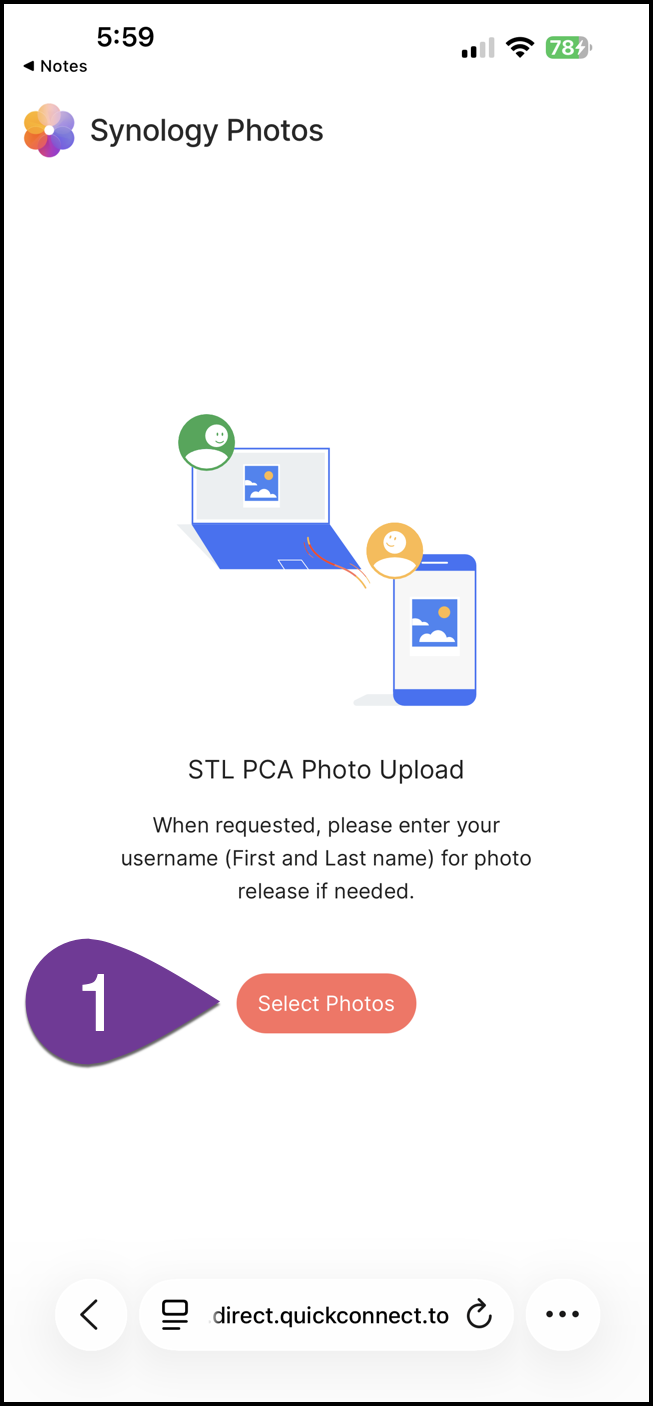
Step 1 - Click on the “Select Photos” to start the photo upload process.
-
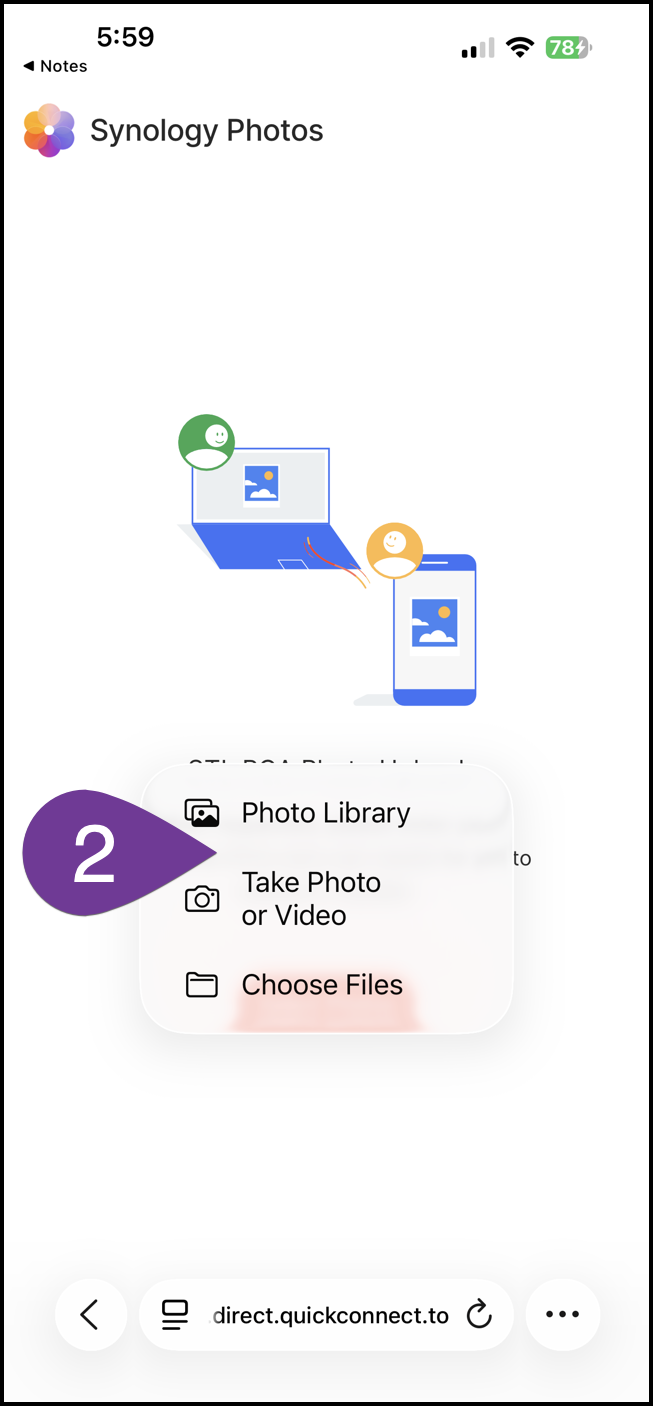
Step 2 - Choose the photo’s source location.
-
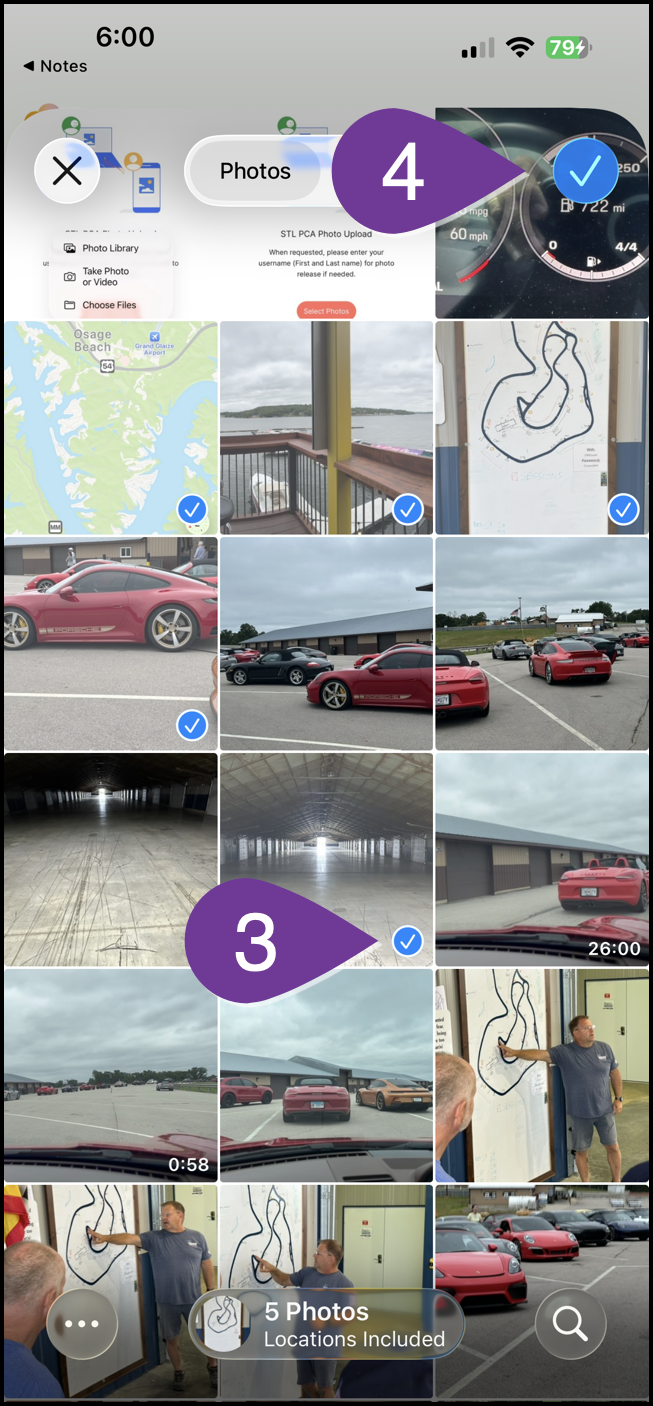
Step 3 - Click on each photo to select for upload.
Step 4 - Click on the checkmark at the top-right to start the upload.
-
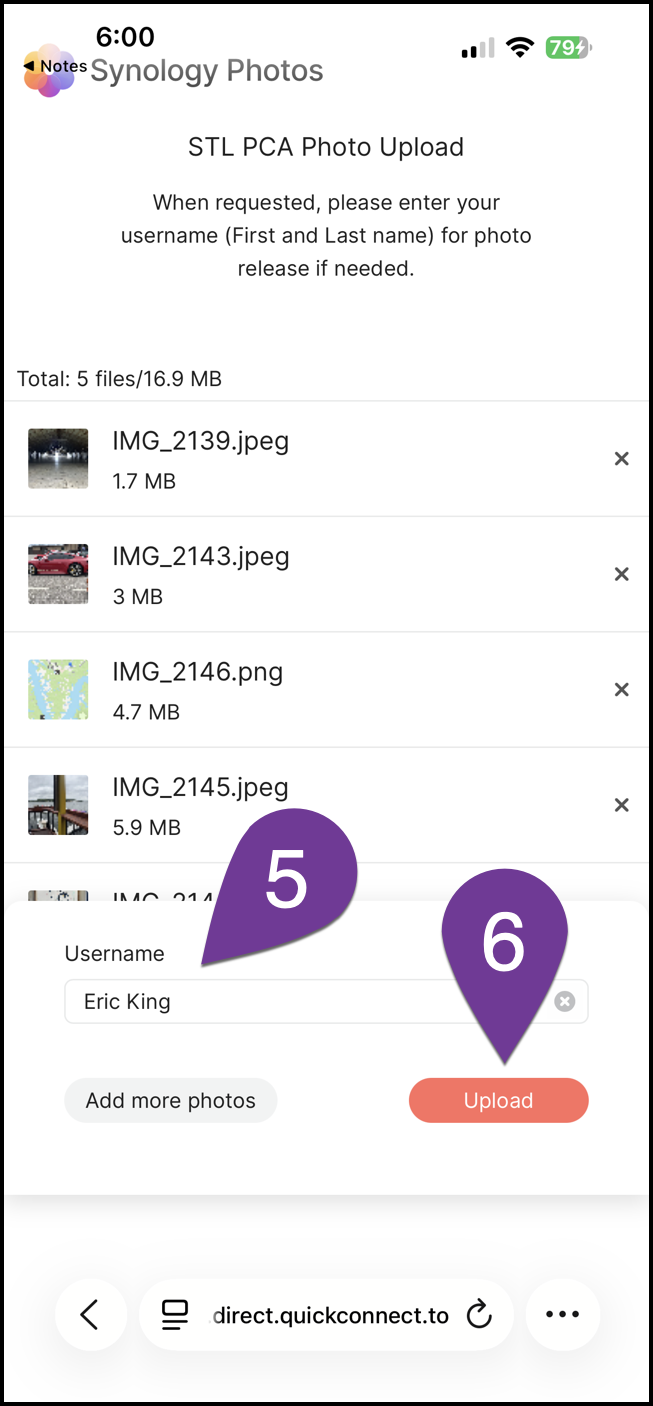
Step 5 - Enter your name for photo credit and follow-up if necessary.
Step 6 - Click Upload to start.
-
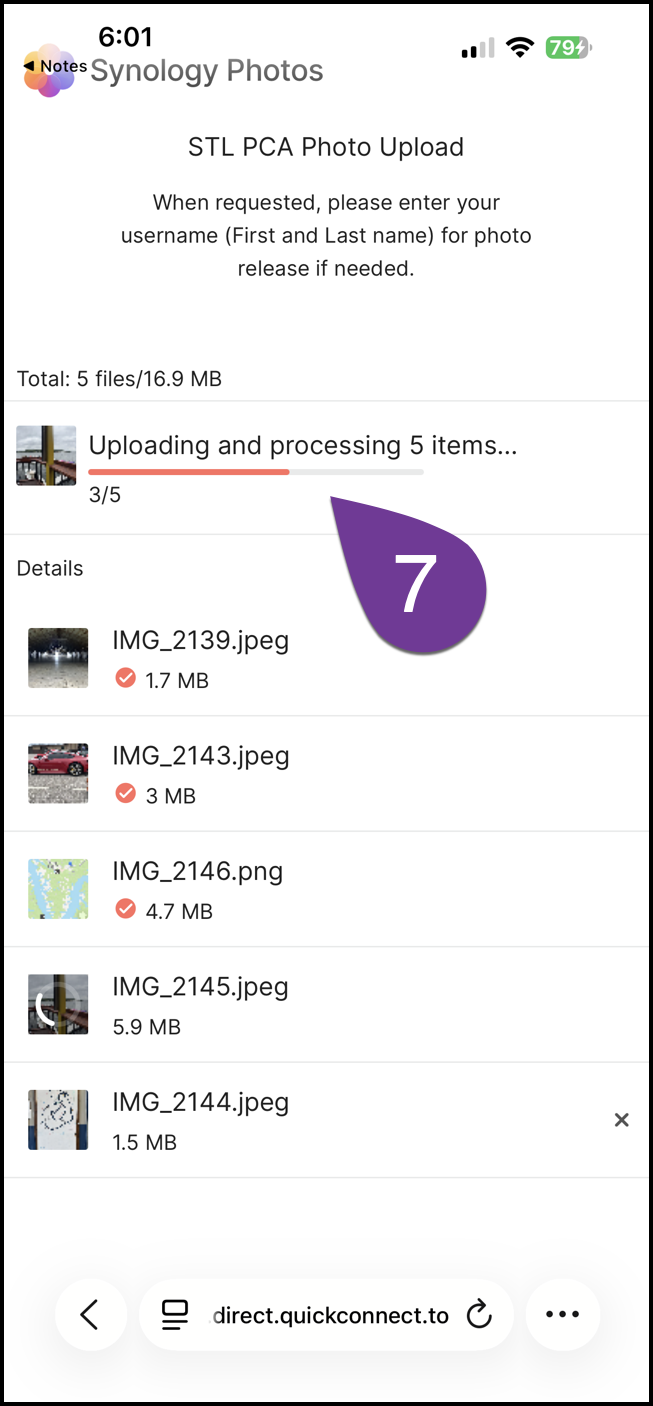
Step 7 - Upload progress bar.
-
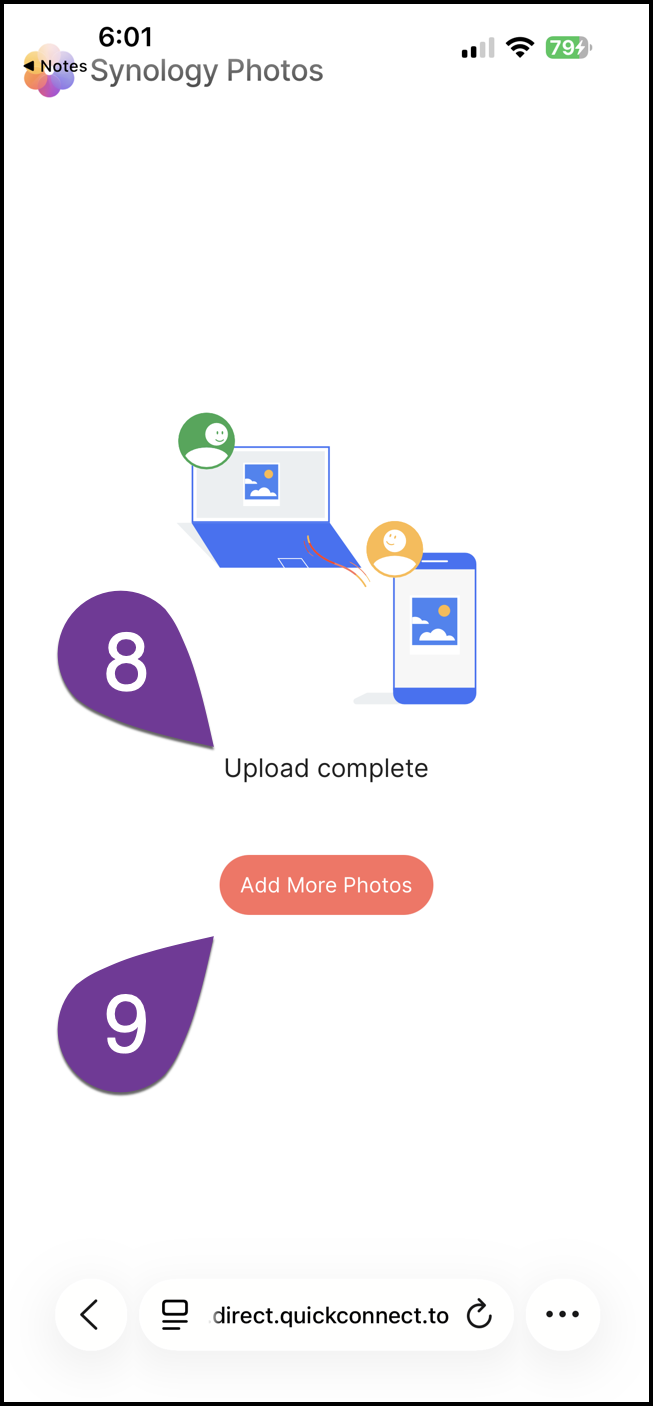
Step 8 - Upload complete indicator.
Step 9 - Select more photos to upload. (optional)

Share photo upload with others
Use this Quick Response (QR) code to share the upload link with others.